Arduino Buzzer Music with tone()
Level 4 · Level 4 — Pitch · 20 minutes
The buzzer from Level 2, flipped fast enough to become a note.
Free to simulate. No hardware kit needed.
Your project challenge
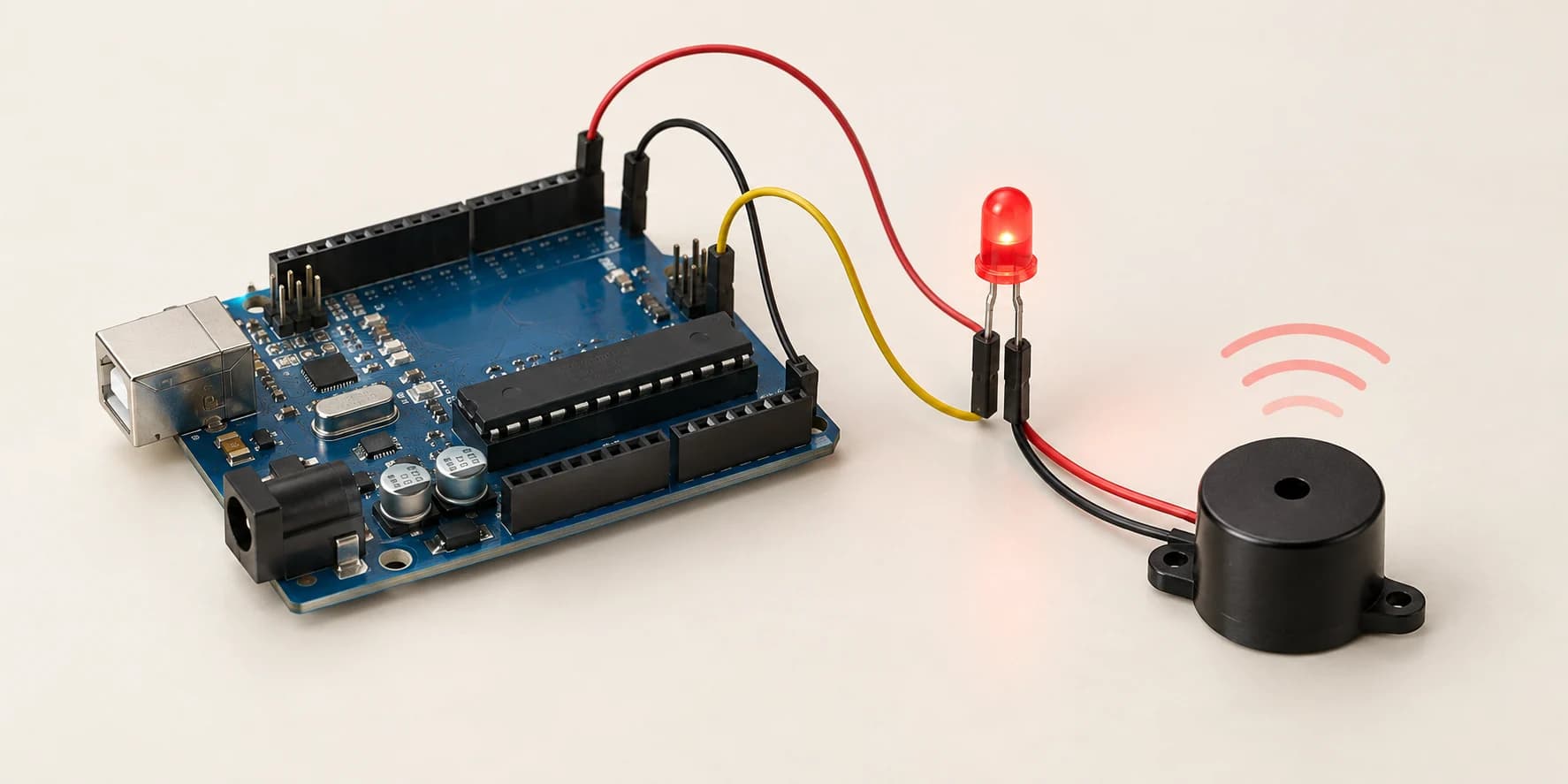
Make the buzzer play three notes: C 262 Hz, then E 330 Hz, then G 392 Hz. Wire it up: - Buzzer: signal leg to D8, other leg to GND - LED: long leg (anode) to D13, short leg to GND Use tone() to start each note and noTone() to end it. Light the LED while each note sounds.
Components you’ll use
- Arduino Uno
- Piezo Buzzer
- LED (Light-Emitting Diode)
What you'll build
The buzzer that ticked in Level 2 plays three notes, the LED lit on each.
How it works
- Nothing about the buzzer changes -- only how fast you flip the pin.
- Flip it 262 times a second and the ticks fuse into one steady note.
tone(BUZZ_PIN, 262)keeps flipping in the background; your sketch runs on.noTone(BUZZ_PIN)ends the note. It will not stop on its own.delay()betweentone()andnoTone()sets how long the note lasts.
The key idea
A note is a speed, fast enough that your ear stops counting.
262 flips per second = middle C. 330 Hz = E, 392 Hz = G.
300 ms note + 100 ms gap, x3 = 1200 ms. The sketch stops at 1.5 seconds.
⚠ Watch out
tone() does not wait. Call all three with no delay() and the first two are cut off in microseconds. You hear one note; the check hears only G.
The canvas shows the buzzer's pitch -- change a number and watch it follow. tone() bottoms out near 31 Hz on an Uno. Toggle the pin with digitalWrite() below 20 Hz and no pitch shows: Level 2's tick, not a note.
The interactive editor includes the wiring guide, code editor and simulation controls.