Arduino Gas Leak Detector with Buzzer and Relay
Level 35 · Gas! · 40 minutes
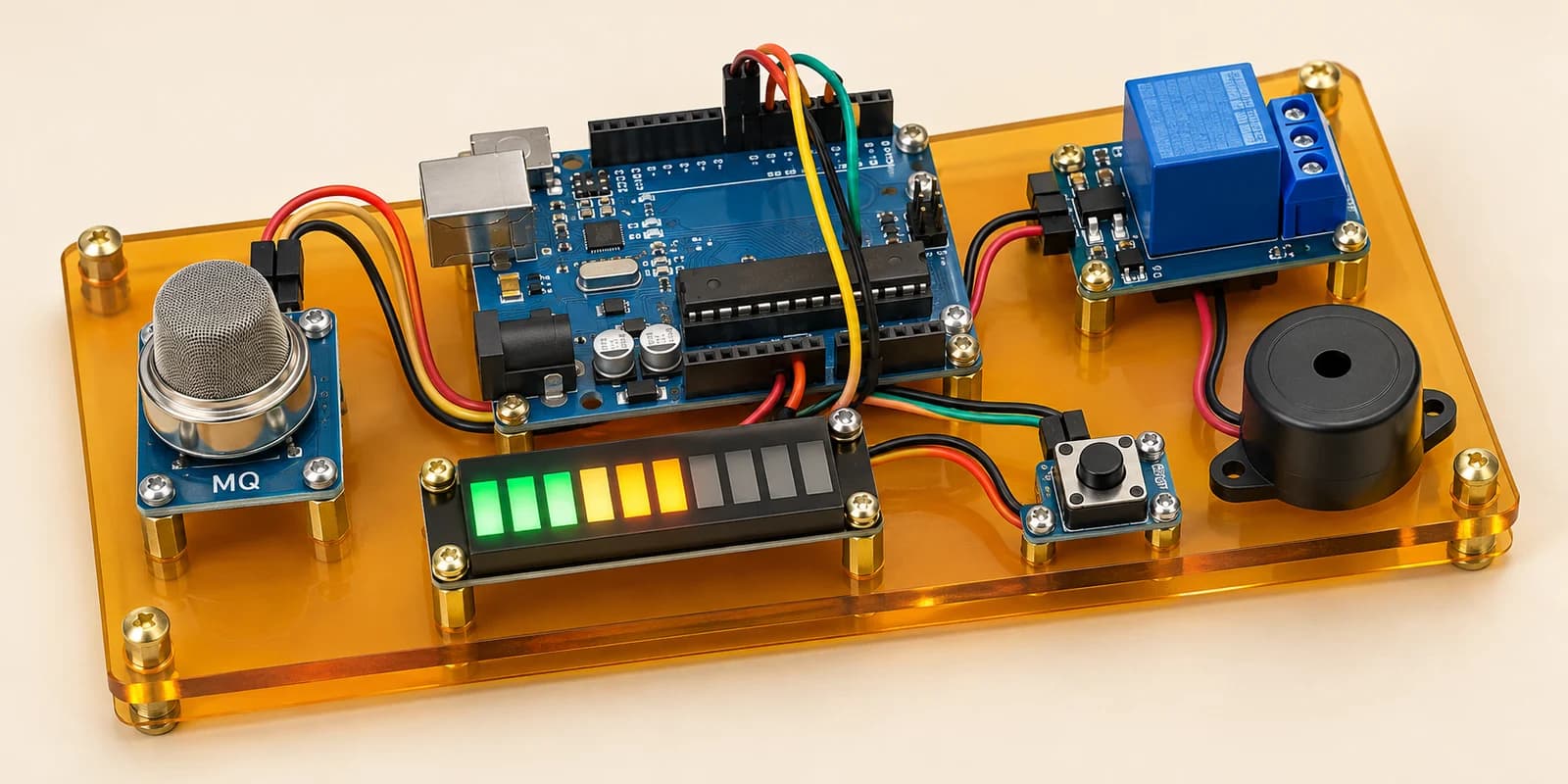
A gas leak alarm: a bar shows the gas, a buzzer sounds, and the valve shuts and stays shut until someone resets it.
Preview the project free; a course seat is required to run and submit. No hardware kit needed.
Your project challenge
A gas alarm whose valve stays shut until reset. Wire it up: - Gas sensor: AOUT A0, VCC 5V, GND GND - Bar graph: A1-A10 to D2-D11, C1-C10 to GND - Relay: IN D12, VCC 5V, GND GND - Buzzer D13, reset button A1, both to GND Bar shows the reading. Over 600: buzz, shut the valve. Reset opens it, only under 600.
Components you’ll use
- Arduino Uno
- Gas Sensor (MQ-2)
- LED Bar Graph (10 segments)
- Relay Module
- Piezo Buzzer
- Pushbutton
What you’ll build
A kitchen gas alarm. It shows the gas, sounds a buzzer and shuts the valve.
How it works
analogRead(A0)reads the gas sensor as a number from0to1023.- The bar graph lights
reading × 10 / 1023LEDs, from the bottom up. - Over
600, the buzzer sounds. A steady tone or a beep both count. Under it, the buzzer stops. - Over
600, the relay shuts the valve. It is active low:LOWshuts it. - Drag the gas slider to play the leak. Click RESET to play the person.
The key idea
The bar and the buzzer show what is happening now. The valve remembers what happened.
Once shut, the valve stays shut, even after the gas clears.
Only a reset opens it, and only while the reading is under 600. One bool holds that memory. This is called a latch.
⚠ Watch out
Do not set the valve from the reading alone. That valve opens by itself when the gas clears, and three valve checks fail.
An unwired RESET button fails the same three checks. It reads as pressed all the time, so check its two wires.
The interactive editor includes the wiring guide, code editor and simulation controls.