Arduino Security Alarm with PIR Sensor and Keypad
Level 34 · Nobody Move · 40 minutes
A burglar alarm: movement sets the buzzer screaming, and only the right code on the keypad stops it.
Preview the project free; a course seat is required to run and submit. No hardware kit needed.
Your project challenge
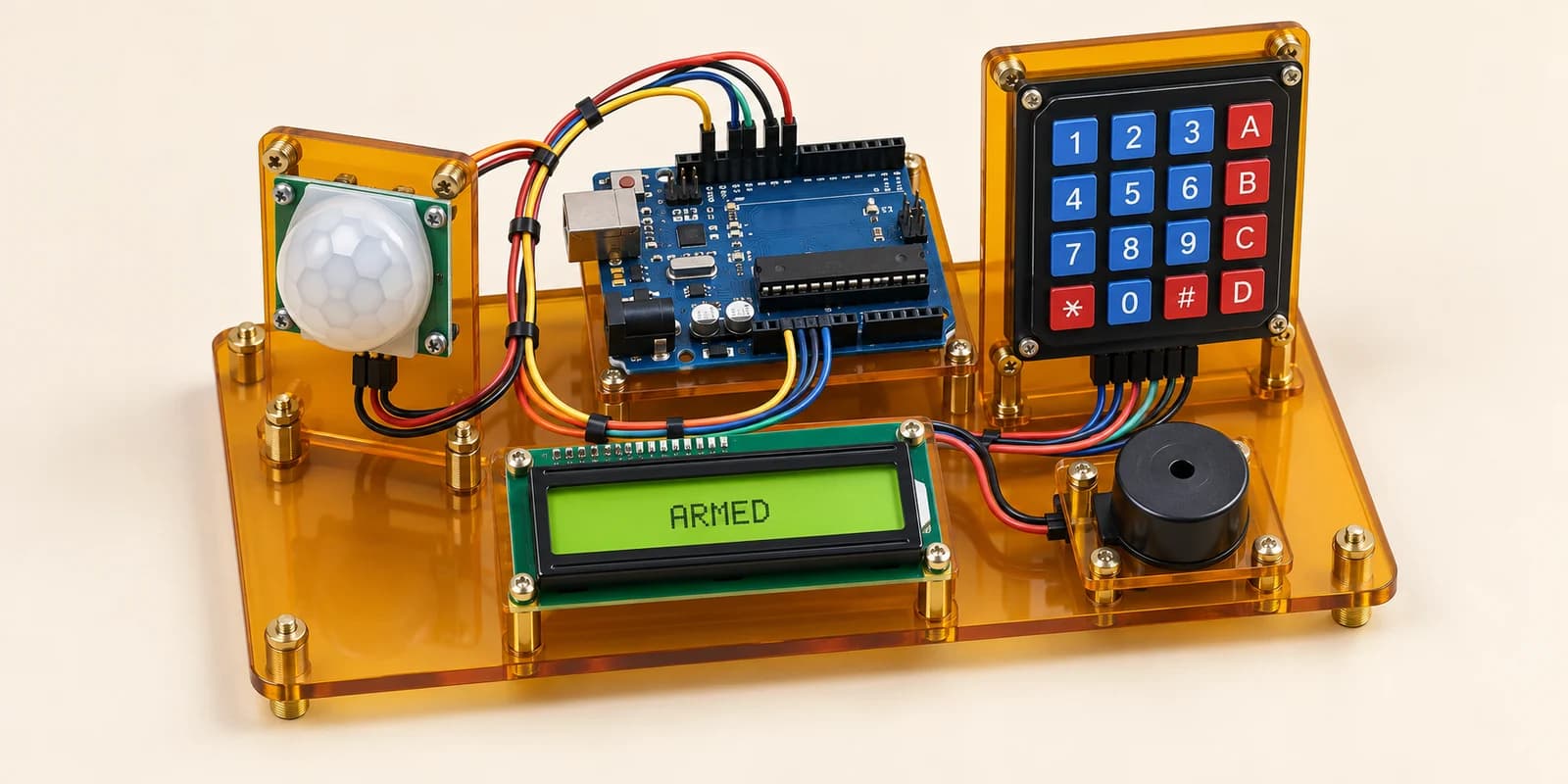
A burglar alarm. Wire it up: - LCD: RS D12, E D11, D4-D7 to D5/D4/D3/D2, RW and V0 to GND - Keypad: rows D6-D9, columns A0-A3 - PIR: VCC 5V, GND GND, OUT A4 - Buzzer: pin1 D10, pin2 GND Top line, only the word, at the left: ARMED. Movement: buzzer on, ENTER CODE. Only 2580 then # stops it: WELCOME. A: ARMED again.
Components you’ll use
- Arduino Uno
- LCD 16x2 Display
- 4x4 Membrane Keypad
- PIR Motion Sensor
- Piezo Buzzer
What you’ll build
A burglar alarm that screams until somebody types the secret code.
How it works
- Armed: silent. The top line says ARMED.
- Movement: the buzzer sounds. The top line says ENTER CODE.
- Type
2580then#: the buzzer stops. The top line says WELCOME. - Nothing else stops it: not a wrong code, not the
Akey, not waiting. - At home,
Aarms it again. - Print only the word, at the left. WELCOME HOME is wrong.
The key idea
The PIR only knows what is happening now. The alarm must remember what already happened.
Keep one variable, state: ARMED, ALARM or HOME.
A still room can mean silence or screaming. Only the state tells which.
⚠ Watch out
- If the buzzer is on only while the PIR reads HIGH, it stops when the burglar stands still.
- Clear the digits after a wrong code, or 2587 then 2580 reads as 25872580.
- Clear the screen before each new word, or WELCOME over ENTER CODE reads WELCOMEODE.
- Clearing on every pass of loop(), with no pause, makes the screen flicker.
- Quick beeps are fine, if the buzzer sounds at least half the time.
The interactive editor includes the wiring guide, code editor and simulation controls.