Arduino LED Blink
Level 1 · Level 1 — Blink · 15 minutes
Your first circuit: make an LED blink, wired and coded entirely by you.
Free to simulate. No hardware kit needed.
Your project challenge
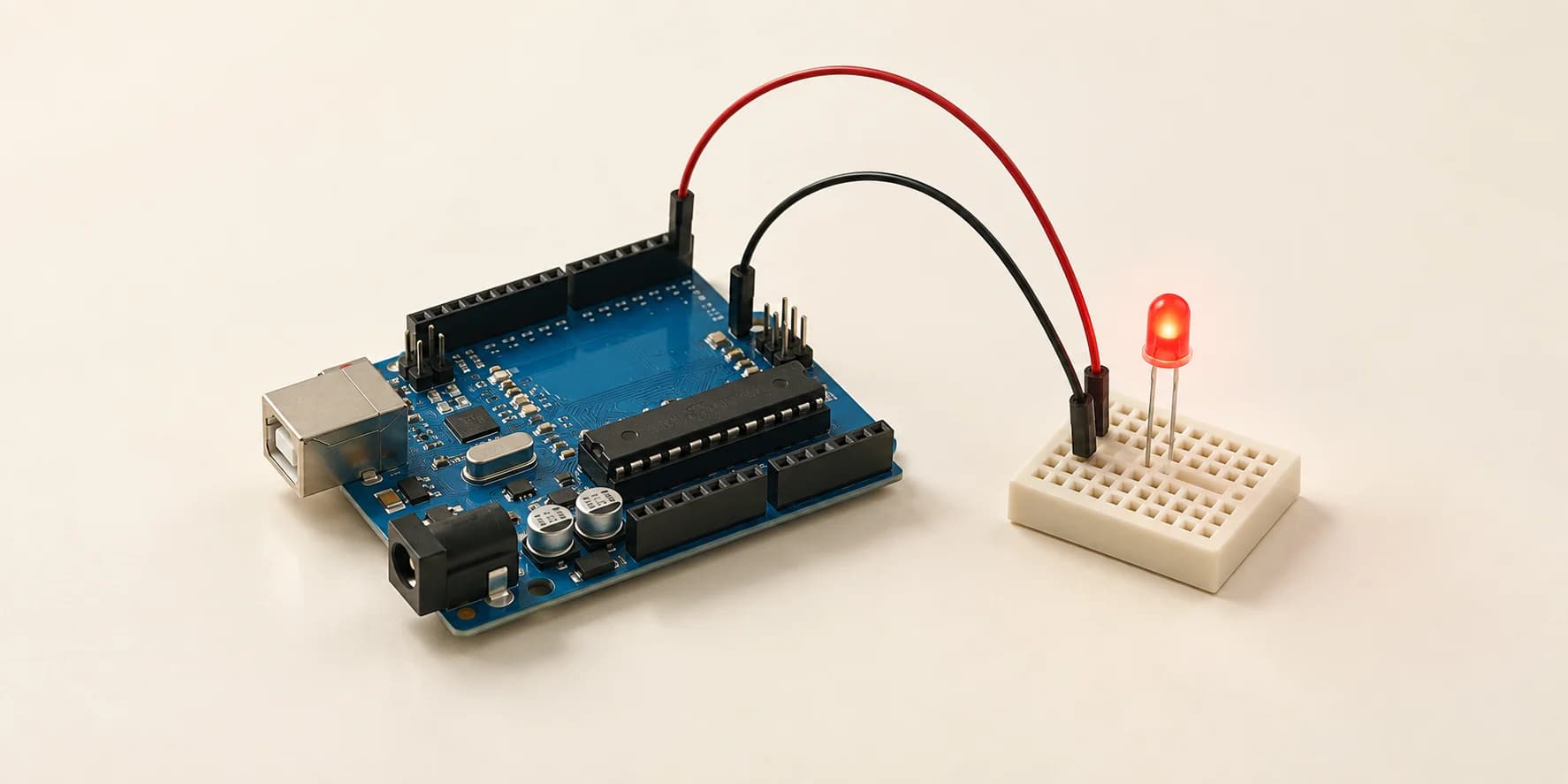
Make the LED blink once a second. The sketch is already written; you only wire it. Wire it up: - LED anode (long leg) to D13 - LED cathode (short leg, next to the flat edge) to GND Press Start Simulation to watch it, then Compile & Submit to be graded. Miss either wire and it stays dark.
Components you’ll use
- Arduino Uno
- LED (Light-Emitting Diode)
Every computer you have ever used blinks something: a cursor, a notification light, a loading spinner. How does code turn a real light on and off?
What you'll build
An LED that blinks once a second, wired by you.
How it works
- The board runs
setup()once, thenloop()forever. pinMode(13, OUTPUT)tells pin D13 to push voltage out.digitalWrite(13, HIGH)is the actual push: 5 volts, on or off, nothing in between.delay(500)holds that state for half a second.- The sketch is already written. The wiring is not.
The key idea
An LED passes current one way only. In at the anode, the long leg. Out at the cathode, the short leg, and on to GND. So it needs two wires, never one.
500 ms on + 500 ms off = 1000 ms, one blink per second
⚠ Watch out
Most students wire D13 and stop, or swap the two legs. Both look identical: the LED stays dark, nothing breaks. Your code still compiles, so it feels like a code bug. It is a wiring bug. The grader answers with LED 'led1' never turned on.
The interactive editor includes the wiring guide, code editor and simulation controls.