Arduino EEPROM High Score Memory Game
Level 66 · Remember Me · 35 minutes
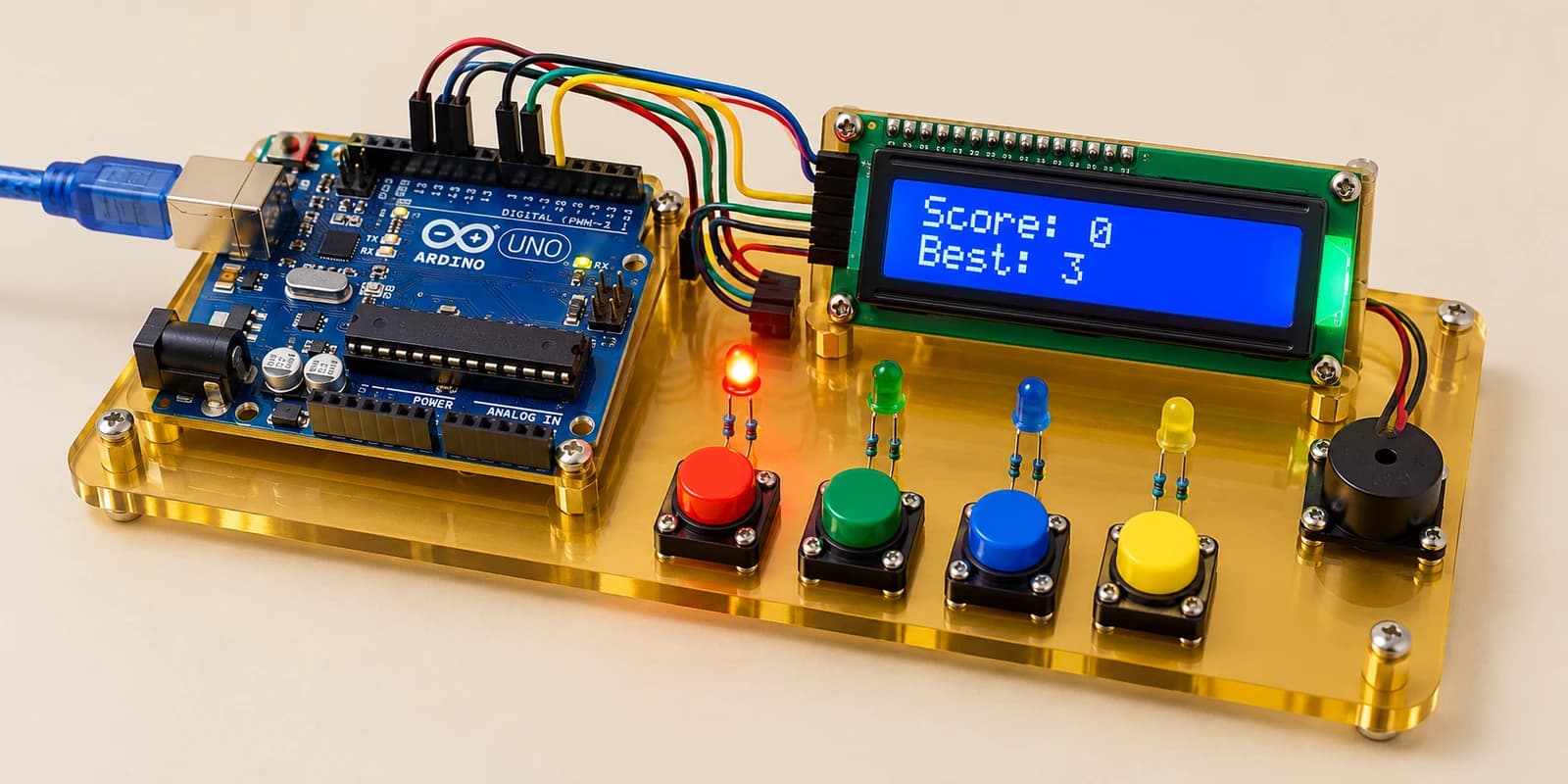
Play a four-colour score game and save your best score in EEPROM so it survives restarting the simulated Arduino.
Preview the project free; a course seat is required to run and submit. No hardware kit needed.
Your project challenge
Press the button matching the lit LED: red, green, blue, yellow, then repeat. Correct presses add one point; a wrong press starts a new round. Count a held button only once. Save a new best score with EEPROM.update. Stop, then start the simulation: score resets, best stays.
Components you’ll use
- Arduino Uno
- Pushbutton × 4
- LED (Light-Emitting Diode) × 4
- Piezo Buzzer
- I²C LCD (16×2)
What you’ll build
A four-colour score game. Follow the wiring guide, start the simulation and press the button matching the lit LED. A wrong colour resets the current score but keeps your best.
How it works
Ordinary variables live in RAM and reset when your sketch restarts. The Uno has 1024 bytes of EEPROM for persistent data. Store a marker at address 0 and the best score at address 1. Empty EEPROM reads 255; treat it as no saved score.
The key idea
Use EEPROM.update only when the best improves. Read it in setup. Show Score on LCD row 1 and Best on row 2. Scores stop at 99. Release a button before pressing again.
Try the reset
Wait until Best appears on the LCD, click Stop Simulation, then Start Simulation. Best must remain while Score returns to zero. Memory is retained within this open editor and unchanged circuit; leaving or reloading the page starts fresh. Compile & Submit always grades with its own clean memory, then performs a second boot using only the saved EEPROM.
The interactive editor includes the wiring guide, code editor and simulation controls.