Arduino Rain Sensor Automatic Awning with Servo
Level 39 · Rain Check · 35 minutes
An awning that closes itself when it rains, and waits for the sky to stay dry before it opens again.
Preview the project free; a course seat is required to run and submit. No hardware kit needed.
Your project challenge
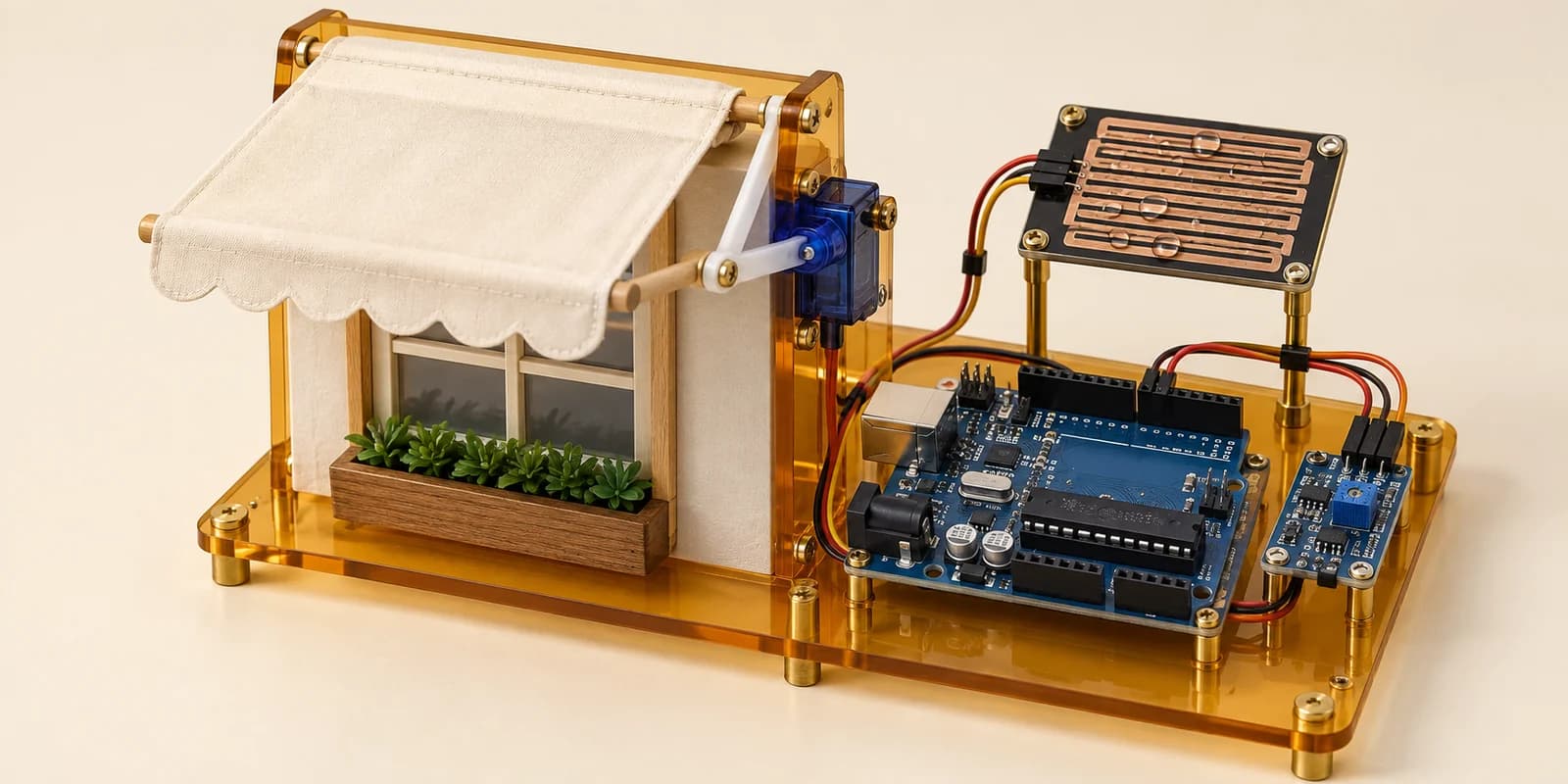
Make the awning close when it rains. Wire it up: - Rain sensor: VCC 5V, GND GND, AO A0 - Servo: signal D9, red 5V, brown GND Wet pad: small number. Reading below 500: write 180, closed. Dry for 2 seconds: write 0, open. Time the 2 seconds from the last wet reading. Read the sensor at least twice a second.
Components you’ll use
- Arduino Uno
- Raindrop Sensor (FC-37 pad + LM393 board)
- SG90 Micro Servo
What you’ll build
An awning (a cloth roof over a window) that closes itself when it rains, and opens again once the rain has stopped.
How it works
- Rain joins the metal stripes on the sensor pad. A dry pad reads about
1023. The wetter the pad, the SMALLER the numberanalogRead(A0)gives you. - Below
500: write180, and the awning closes. - Dry for
2seconds in a row: write0, and it opens. - Read the sensor at least twice a second.
delay(500)is fine.delay(1000)is too slow: rain can come and go between two readings. - Drag the sensor slider toward “soaked” to make it rain.
The key idea
Rain comes and goes. A shower has short dry breaks between the drops.
Save the time of every wet reading: lastWet = millis().
Open the awning only when millis() - lastWet reaches 2000.
⚠ Watch out
If your sketch says above 500 is rain, a dry pad counts as rain, and the awning closes under a clear sky. With no wait, the awning opens in every break between drops: it flaps open and shut all through the shower.
The interactive editor includes the wiring guide, code editor and simulation controls.