Arduino Scrolling LED Noticeboard with MAX7219
Level 67 · Scroll It · 35 minutes
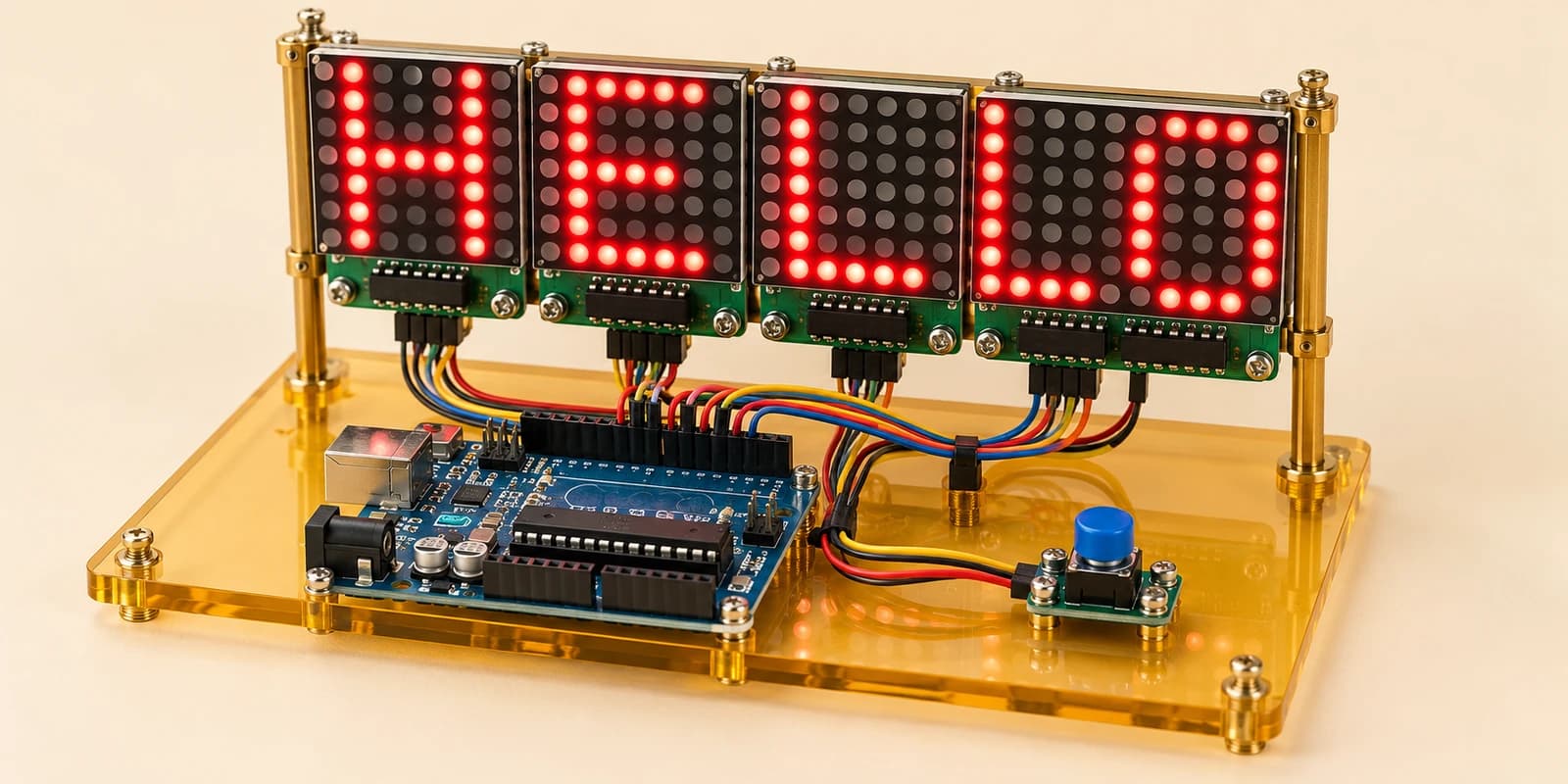
Build a four-panel LED noticeboard. Scroll HELLO across 32 columns, then pause and resume the message with a button.
Preview the project free; a course seat is required to run and submit. No hardware kit needed.
Your project challenge
Scroll HELLO left across four LED panels, one column every 200 ms. Add ten blank columns before it repeats. Press the blue button to pause; release and press again to resume from the same place. A held button must toggle only once. Follow the guide: DOUT connects to the next DIN.
Components you’ll use
- Arduino Uno
- LED Matrix (MAX7219) × 4
- Pushbutton
What you’ll build
A classroom noticeboard with 32 columns of red LEDs. Start the simulation to see HELLO travel left. Press PAUSE / RESUME to freeze the message. Release and press again to keep scrolling.
How it works
Each MAX7219 drives an 8×8 matrix. Four modules share power, clock and CS. Only the first DIN connects to Arduino; each DOUT feeds the next DIN. LedControl addresses these panels as 0, 1, 2 and 3, from left to right.
Your code
The supplied five-column font adds one blank column after each letter, then ten more blank columns. Shift the reading position every 200 ms using millis(). The button uses INPUT_PULLUP, so LOW means pressed. Detect a new press, not every loop while it is held.
Try it
Pause midway through a letter. It should stay still even while you hold the button. Release, press again, and watch it continue without jumping back. Change the message after completing the HELLO challenge.
Real hardware
These modules include LED current control. A four-panel physical display may need a separate regulated 5V supply with common ground; never power it from a GPIO pin.
The interactive editor includes the wiring guide, code editor and simulation controls.