Arduino DC Motor Speed Control with PWM
Level 8 · Level 8 — Speed · 30 minutes
One knob, one analogWrite, and a motor that finally has more than one speed.
Preview the project free; a course seat is required to run and submit. No hardware kit needed.
Your project challenge
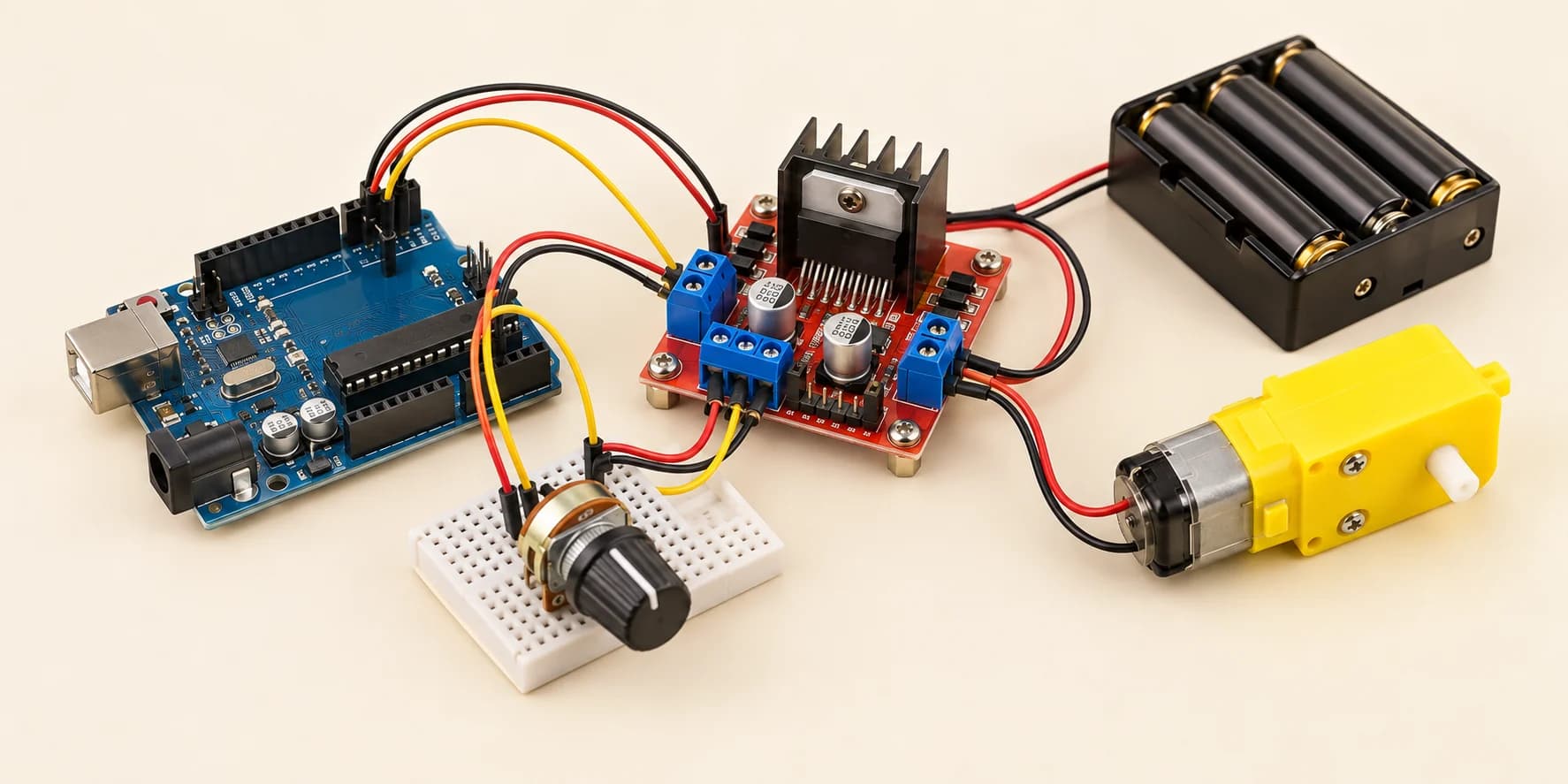
Make the knob set the motor's speed. Keep Level 7's circuit exactly as it is. Then add the potentiometer: - One outer leg to 5V - The other outer leg to GND - Middle leg (the wiper) to A0 Read A0, map 0-1023 down to 0-255, and analogWrite that to ENA on D11.
Components you’ll use
- Arduino Uno
- L298N Motor Driver
- DC Gear Motor
- Battery
- Potentiometer
What you'll build
Right now the motor has only one speed: everything. You add a knob that sets it: stopped to flat out.
How it works
- You do not lower the voltage. You
analogWrite()to ENA — the trick that dimmed Level 5's LED. - It flicks ENA on and off hundreds of times a second. That is PWM.
- What changes is the fraction of each cycle ENA stays on. A quarter on means about a quarter of the energy, and a slow turn.
- ENA sits on
D11. Only six Uno pins do PWM:3, 5, 6, 9, 10, 11. - The knob is a potentiometer.
analogRead(A0)turns it into 0 to 1023.
The key idea
analogWrite takes only 0 to 255. So rescale: map(knob, 0, 1023, 0, 255). A quarter turn reads about 256.
256 × 255 ÷ 1023 = 63.8, and map() drops the fraction. ENA gets 63 — about 25% power.
⚠ Watch out
Skip map() and analogWrite gets the raw 0 to 1023. Anything past 255 wraps round: 256 becomes 0. Full turn still roars. Quarter turn kills the motor dead, and the code looks right.
The interactive editor includes the wiring guide, code editor and simulation controls.