Arduino Water Level Indicator with LED Bar Graph and Buzzer
Level 40 · How Full · 35 minutes
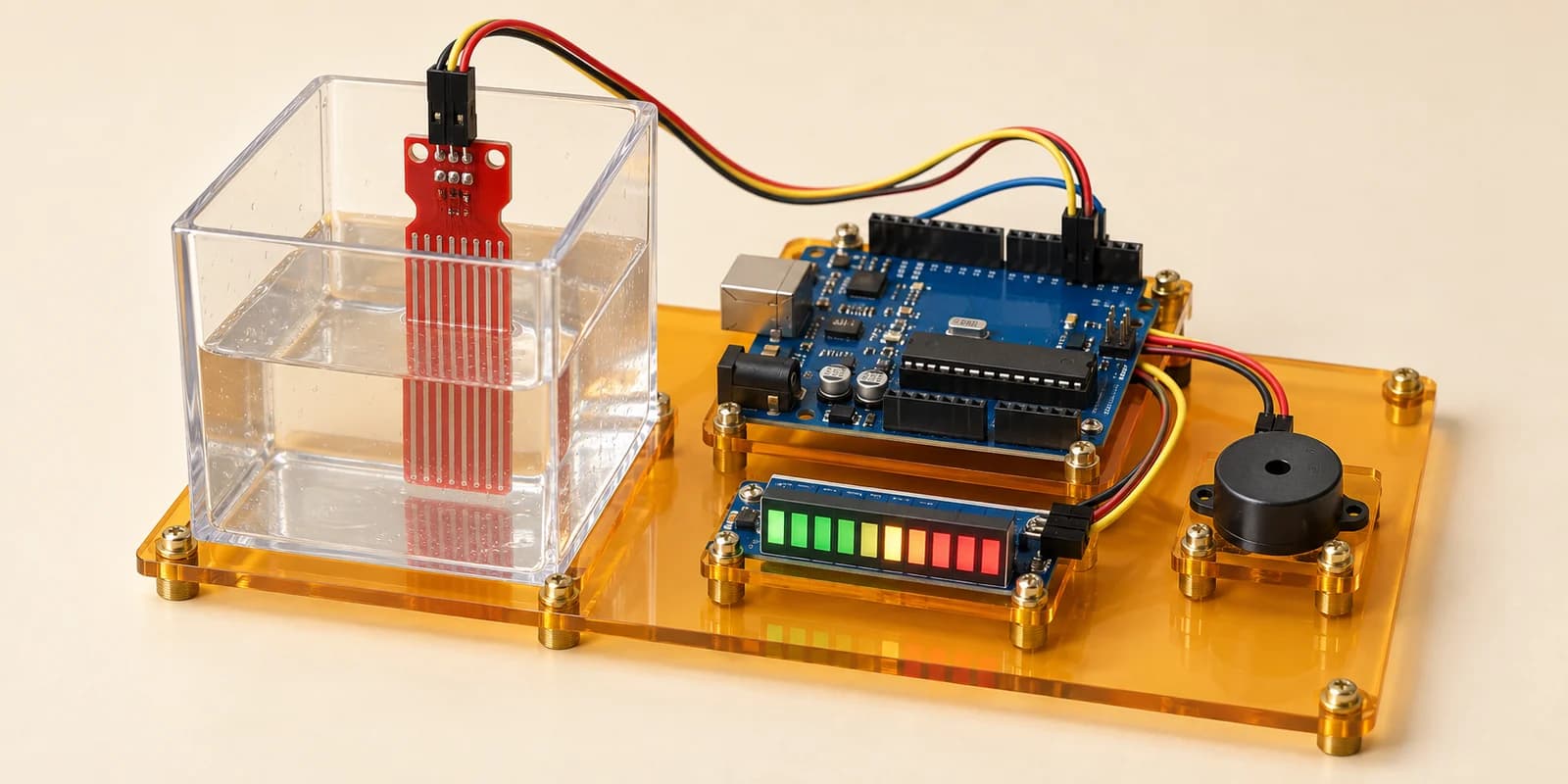
A water tank gauge: ten bars show how full the tank is, and a buzzer warns before it overflows.
Preview the project free; a course seat is required to run and submit. No hardware kit needed.
Your project challenge
Show how full the tank is. Warn before it overflows. Wire it up: - Water sensor: + to 5V, - to GND, S to A0 - Bar graph: A1-A10 to D2-D11, C1-C10 to GND - Buzzer: pin1 to D12, pin2 to GND The reading is not a percent. Measure empty, a little, full. A little is 1 bar, full 10. Buzz at 9 bars.
Components you’ll use
- Arduino Uno
- Water Level Sensor
- LED Bar Graph (10 segments)
- Piezo Buzzer
What you’ll build
A tank gauge. Ten bars show how full the tank is, and a buzzer warns before it overflows.
How it works
- Water between the strip’s copper fingers carries a current. More water gives a bigger number.
- A1 on D2 is the bottom bar. A10 on D11 is the top.
- Nine bars or more is nearly full. The buzzer sounds.
- The bar must catch up with the water within about a second. Keep
delay()at 1000 or less.
The key idea
The number is not a percentage. It jumps as soon as water touches the strip, then climbs slowly. A little water already reads more than half of full.
So measure your sensor. Press Run, drag the water, read the Serial Monitor: 0 empty, 336 with a little water, 613 full. A real sensor reads different numbers.
Set each threshold about 10 under your number: map(reading, 326, 603, 1, 10). A little water is 1 bar. Full is 10.
⚠ Watch out
Treat it as a straight line to 700, and a little water shows 4 bars. A full tank shows only 8, so the alarm never sounds.
The interactive editor includes the wiring guide, code editor and simulation controls.