Arduino Bicycle Speedometer with Hall Sensor and LCD
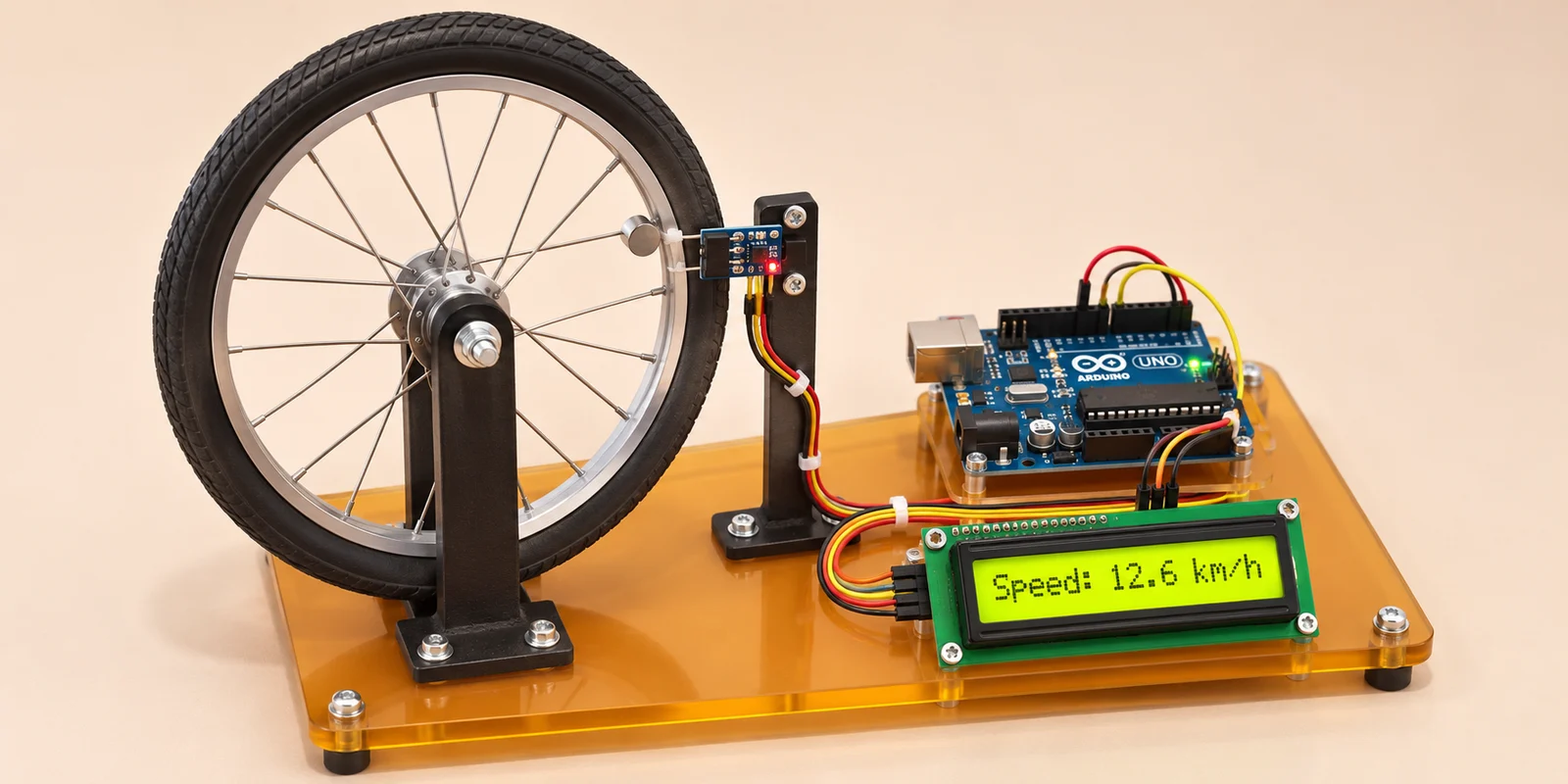
Build a bicycle speedometer: time each turn of the wheel with an interrupt, show the speed in km/h and the distance in metres, and show zero when the wheel stops.
Your project challenge
The wheel is 2.1 m round and the magnet passes once per turn. With an interrupt on D2, time each turn with micros(). Show the speed (2.1 ÷ seconds per turn × 3.6) and km/h on row 1, and the distance in m on row 2. Show 0 km/h when no turn has come for 3 seconds.
Components you’ll use
- Arduino Uno
- Hall Magnetic Sensor (KY-003)
- LCD 16x2 Display
What you’ll build
A speedometer for a bicycle, like the little computers cyclists fix to their handlebars. It shows how fast you ride and how far you have gone.
How it works
A magnet on a spoke passes a Hall sensor on the fork once every turn of the wheel. S goes LOW for a moment as it passes. The wheel is 2.1 metres round, so every turn is 2.1 metres. Use the speed slider to pedal.
The key idea
At low speed a turn takes most of a second, so counting turns per second is far too rough. Time each turn instead: save micros() in the interrupt, and speed is 2.1 metres divided by the seconds between two turns, times 3.6 for km/h.
⚠ Watch out
When the bike stops, no more turns come, so the last speed would stay forever. Show 0 after three quiet seconds.
Make it yours: keep the top speed of the ride and show it when a button is pressed.
The editor has the wiring guide, the code and the simulator.
Build this project